
前端实现网页水印防移除的实战方案_javascript技巧
核心痛点:纯前端水印无法绝对防破解,但可通过组合技术大幅增加破解成本!
// 创建动态水印层(混淆选择器+随机位置)const createWatermark = () => { const wm = document.createElement('div'); // 随机生成类名(规避通配选择器) const randomId = 'wm_' + Math.random().toString(36).slice(2, 8); wm.className = randomId; // 水印内容(含用户信息) wm.innerHTML = `© ${user.name} · ${new Date().toLocaleDateString()}`; // 随机位置偏移(破坏自动化脚本) wm.style.left = `${Math.random() * 20}%`; wm.style.top = `${Math.random() * 15}vh`; // 核心样式 Object.assign(wm.style, { position: 'fixed', pointerEvents: 'none', opacity: '0.5', transform: `rotate(${Math.random() * 15 - 7.5}deg)`, zIndex: '2147483647' // 最大z-index值 }); document.body.appendChild(wm); return wm;};
防护原理:
// MutationObServer监听水印移除const initWatermarkGuard = () => { const wm = createWatermark(); const observer = new MutationObserver((mutations) => { let watermarkRemoved = false; mutations.forEach(mutation => { if (mutation.removedNodes) { Array.from(mutation.removedNodes).forEach(node => { if (node === wm || node.contains?.(wm)) { watermarkRemoved = true; } }); } }); if (watermarkRemoved) { console.warn("水印被移除,正在重生..."); document.body.removeEventListener('DOMNodeRemoved', handleRemove); observer.disconnect(); createWatermark(); initWatermarkGuard(); // 重新绑定监听 } }); // 深度监听整个body observer.observe(document.body, { childList: true, subtree: true, attributes: false, characterData: false }); // 备份监听:处理iframe等特殊情况 const handleRemove = (e) => { if (e.target === wm) { document.body.appendChild(wm.cloneNode(true)); } }; document.body.addEventListener('DOMNodeRemoved', handleRemove);};
防护原理:
// Canvas内容融合水印(关键数据防篡改)const drawProtectedCanvas = (canvas) => { const ctx = canvas.getContext('2d'); const img = new Image(); img.onload = () => { ctx.drawImage(img, 0, 0); // 半透明水印覆盖 ctx.fillStyle = 'rgba(255,255,255,0.5)'; ctx.font = 'bold 24px sans-serif'; ctx.fillText('@' + user.id, canvas.width/2, canvas.height-30); // 隐形水印(像素级操作) const imageData = ctx.getImageData(0, 0, canvas.width, canvas.height); encodeWatermark(imageData.data, user.id); // 自定义编码函数 ctx.putImageData(imageData, 0, 0); }; img.src = '/sensitive-image.jpg';};// 隐形水印编码function encodeWatermark(pixels, userId) { // LSB最低有效位隐写术 for (let i = 0; i < pixels.length; i += 4) { if (i % 16 === 0) { const charCode = userId.charCodeAt(Math.floor(i/16) % userId.length); const bit = (charCode >> Math.floor(i/16)%8) & 1; pixels[i] = (pixels[i] & 0xFE) | bit; } }}
防护原理:
// DevTools开启检测(现代浏览器适配)setInterval(() => { const devtools = { open: false, orientation: null }; const threshold = 160; // 屏幕高度阈值 const widthThreshold = window.outerWidth - window.innerWidth > threshold; const heightThreshold = window.outerHeight - window.innerHeight > threshold; const orientation = widthThreshold ? 'vertical' : 'horizontal'; if ( !devtools.open && (heightThreshold || widthThreshold) && devtools.orientation !== orientation ) { devtools.open = true; devtools.orientation = orientation; // 开发者工具打开时自动刷新 window.location.reload(); }}, 1000);
防护原理:
// 基于SVG的矢量水印(PDF导出保留)const svgWM = ` `;const svgURL = `data:image/svg+xml,${encodeURIComponent(svgWM)}`;document.body.style.backgroundImage = `url("${svgURL}")`;
// WebGL着色器注入水印(逐帧渲染)const fragmentShader = ` varying vec2 vUv; uniform sampler2D videoTexture; void main() { vec4 color = texture2D(videoTexture, vUv); vec2 center = vec2(0.5, 0.85); float dist = distance(vUv, center); if (dist < 0.2) { color.rgb = mix(color.rgb, vec3(1.0), 0.5); color.r = mod(color.r + 0.5, 1.0); // 添加颜色偏移 } gl_FragColor = color; }`;
// 敏感操作时强化水印function protectSensitiveAction() { createWatermark(); document.body.classList.add('watermark-intensify'); setTimeout(() => document.body.classList.remove('watermark-intensify'), 5000 );}
服务端协同验证
// 关键接口添加数字水印fetch('/api/export', { headers: { 'X-Content-Signature': btoa(`${user.id}|${window.location.host}|${Date.now()}`) }})
环境自销毁机制
// 检测常见破解环境特征const isTampered = window.__watermarkGuard !== true || navigator.webdriver === true;if (isTampered) { document.body.innerHTML = '
安全警告:非法环境访问
'; window.stop();}// 水印渲染性能优化requestAnimationFrame(() => { const wm = createWatermark(); setTimeout(() => wm.style.transition = 'opacity 0.3s', 100);});
用户体验保障
到此这篇关于前端实现网页水印防移除的实战方案的文章就介绍到这了,更多相关前端网页水印防移除内容请搜索脚本之家以前的文章或继续浏览下面的相关文章希望大家以后多多支持脚本之家!
本文地址: https://www.earthnavs.com/jishuwz/df6d9db282c74595cc10.html


该站点未添加描述description...
Getthenewsasitbreaksandgobehindtheday

微热点基于海量媒体数据,专注帮助政府、企业、媒体以及自媒体从业者,发现正在发生或潜在发生的全网热点,致力于打造热点发现-热点分析-传播效果评估-热点事件案例库的媒体传播大数据应用平台。

行行查是专业行业研究数据库,包含海量细分行业研究报告,研究信息覆盖大消费、节能环保、传媒娱乐、信息科技、地产金融、生命健康、先进制造、传统行业等领域;行行查机器人自动对接多渠道权威数据源,覆盖海量行业研究数据,基于已建模型,机器人自动在数据生产平台完成数据清洗和数据转换,并实现精准标签及全流程可视化。
金羊网是广东省顶级报刊媒体羊城晚报集团旗下新媒体网站,华南区四大媒体网站之一,为用户提供最新新闻资讯等。并提供《羊城晚报》、《新快报》、《可乐生活》等多家报刊电子版!
natapp是基于ngrok的国内高速内网穿透专业服务商,独家彻底解决ngrok1.7内存泄漏问题.稳定拒绝掉线,适用于微信开发调试,本地架设演示服务器,外网可以访问,远程服务器,远程桌面,远程办公,游戏联机等
CG资源网内容涵盖AE模板,AE插件,AE教程,PR模板,FCPX插件,C4D插件,C4D教程,3D模型;分享Premiere,Photoshop,Realflow,Houdini,DaVinciResolve,3DsMax,Maya,Zbrush,Nuke等软件学习资源;后期VFX特效合成制作,包括实拍视频,背景素材视频,背景音乐素材;CG资源网不断汇聚更多优秀CG作品,供交流学习分享欣赏。
云搜站导航(yunsouzhan.cn)专注为职场人士提供高效办公解决方案,聚合PPT模板、Excel工具、在线协作平台、行政管理系统等实用资源,严选全网可商用、免版权素材,每日人工更新验证,网址大全,助力提升工作效率。即点即用,无广告干扰!
翼创星球,翼创网,赚钱网,搞钱网,创业网,副业网,网创项目,网赚项目,网络赚钱平台,创业平台,创业项目网站,赚钱平台,免费项目分享,网创项目首发平台
易航导航收录网,致力于为站长提供一站式的网站快速收录服务。我们专注于高效、自动化的收录流程,确保您的网站能够在百度、搜狗、360等主流搜索引擎中迅速获得索引。同时,我们提供友情链接交换平台,帮助站长提升网站权重,优化SEO效果。加入易航收录网,让您的网站曝光更快,流量更高!

PHP(PHP:HypertextPreprocessor的缩写,中文名:“超文本预处理器”)是一种通用开源脚本语言。语法吸收了C语言、Java和Perl的特点,入门门槛较低,易于学习,使用广泛,主要适用于Web开发领域。PHP的文件后缀名为php
当易网为广大用户提供最全的游戏补丁下载服务,诚挚打造的最新、最全的游戏补丁数据库,帮助玩家第一时间解决游戏因补丁不存在而出现的各种问题。
计算器软件包含多种类型和风格计算器软件,包括科学计算器,个人所得税计算器,安全期计算器,房贷计算器,贷款计算器,在线计算器,人品计算器,购车计算器。当易网欢迎大家下载。
当易网为大家带来非常齐全、安全、实用的解压压缩软件,包括7-zip、winrar、好压或者360压缩,其实都差不多,支持rar,zip解压软件免费下载

亦是美网络,致力于操作系统应用与计算机网络技术的IT网站。

亦是美网络,致力于操作系统应用与计算机网络技术的IT网站。

亦是美网络,致力于操作系统应用与计算机网络技术的IT网站。
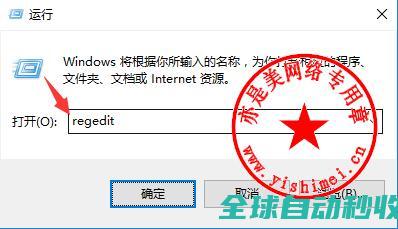
亦是美网络,致力于操作系统应用与计算机网络技术的IT网站。
亦是美网络,致力于操作系统应用与计算机网络技术的IT网站。

支持计划是华为云服务的售后支持产品套餐包,涵盖华为云产品使用、基于华为云产品的架构部署、解决方案等方面的技术支持,支持方式包括工单、热线电话、IM企业群等。提供基础级、开发者级、商业级、企业级支持,可满足不同规模和技术能力的客户。
在当今信息爆炸的数字时代,网站内容的可见性与传播效率已成为决定其成败的关键因素之一,传统的搜索引擎收录机制,往往依赖于爬虫的周期性抓取和站长的主动提交,存在一定的延迟性与不确定性,近年来,随着人工智能与实时处理技术的飞速发展,一种被称为,自动秒收录,的机制正逐渐成为网站优化领域备受瞩目的新趋势,它承诺能够近乎实时地将网站新发布的内容推...。
在当今信息技术飞速发展的时代,导航系统已成为我们日常生活中不可或缺的一部分,从车载导航到手机地图应用,其核心均依赖于一套复杂而精密的软件系统,本文旨在从技术实现的角度,对导航系统的源码架构进行深入剖析,重点聚焦于其模块化构建思想与实时路径规划算法的实现原理,以揭示其高效、稳定运行背后的技术奥秘,一套完整的导航系统源码,其设计首要遵循的...。
本文介绍了JavaScript中的空值合并运算符??,解释了它在null或undefined值时的使用,并对比了与逻辑运算符||的不同之处,感兴趣的可以了解一下
当易网为用户提供最全、最好玩的单机卡牌桌游下载,有中国象棋、军旗、五子棋、狼人杀以及剧本杀等桌游,非常有趣,欢迎下载。
当易网为大家提供一些不常用或者很少的驱动下载,包括wifi驱动、转串口驱动、采集卡驱动、蓝牙驱动等各种驱动。欢迎下载。