
JavaScript数组常用方法find、findIndex、filter、map、flatMap及some详解_javascript技巧
这些数组方法都是ES6引入的,它们为处理数组提供了更简洁、更函数式的方式。下面我将详细介绍每个方法的用法和使用场景,并提供示例。
作用:返回数组中满足提供的测试函数的第一个元素的值。如果没有找到则返回undefined。
使用场景:当你需要从数组中查找第一个符合条件的元素时。
const users = [ { id: 1, name: 'Alice', age: 25 }, { id: 2, name: 'Bob', age: 30 }, { id: 3, name: 'Charlie', age: 35 }];// 查找第一个年龄大于30的用户const user = users.find(user => user.age > 30);console.log(user); // { id: 3, name: 'Charlie', age: 35 }// 查找不存在的用户const notFound = users.find(user => user.age > 40);console.log(notFound); // undefined
作用:返回数组中满足提供的测试函数的第一个元素的索引。若没有找到则返回-1。
使用场景:当你需要知道某个元素在数组中的位置时。
const numbers = [10, 20, 30, 40, 50];// 查找第一个大于25的元素的索引const index = numbers.findIndex(num => num > 25);console.log(index); // 2// 查找不存在的元素的索引const notFoundIndex = numbers.findIndex(num => num > 100);console.log(notFoundIndex); // -1
作用:创建一个新数组,包含通过所提供函数实现的测试的所有元素。
使用场景:当你需要从数组中筛选出符合条件的多个元素时。
const products = [ { id: 1, name: 'Laptop', price: 999, inStock: true }, { id: 2, name: 'Phone', price: 699, inStock: false }, { id: 3, name: 'Tablet', price: 499, inStock: true }];// 筛选有库存的产品const availableProducts = products.filter(product => product.inStock);console.log(availableProducts);// [// { id: 1, name: 'Laptop', price: 999, inStock: true },// { id: 3, name: 'Tablet', price: 499, inStock: true }// ]// 筛选价格低于500的产品const cheapProducts = products.filter(product => product.price < 500);console.log(cheapProducts);// [{ id: 3, name: 'Tablet', price: 499, inStock: true }]
作用:创建一个新数组,其结果是该数组中的每个元素都调用一个提供的函数后的返回值。
使用场景:当你需要对数组中的每个元素进行转换时。
const numbers = [1, 2, 3, 4];// 将每个数字平方const squares = numbers.map(num => num * num);console.log(squares); // [1, 4, 9, 16]// 从对象数组中提取特定属性const names = users.map(user => user.name);console.log(names); // ['Alice', 'Bob', 'Charlie']// 添加新属性const usersWithStatus = users.map(user => ({ ...user, status: user.age > 30 ? 'Senior' : 'Junior'}));console.log(usersWithStatus);// [// { id: 1, name: 'Alice', age: 25, status: 'Junior' },// { id: 2, name: 'Bob', age: 30, status: 'Junior' },// { id: 3, name: 'Charlie', age: 35, status: 'Senior' }// ]
作用:首先使用映射函数映射每个元素,然后将结果压缩成一个新数组。相当于先map()再flat(1)。
使用场景:当你需要先映射然后扁平化结果时。
const sentences = ["Hello world", "Good morning", "Have a nice day"];// 将句子拆分为单词并扁平化const words = sentences.flatMap(sentence => sentence.split(' '));console.log(words);// ['Hello', 'world', 'Good', 'morning', 'Have', 'a', 'nice', 'day']// 传统方式需要先map再flatconst wordsOldWay = sentences.map(sentence => sentence.split(' ')).flat();console.log(wordsOldWay); // 同上// 处理嵌套数组const data = [[1], [2, 3], [4]];const flattened = data.flatMap(arr => arr.map(x => x * 2));console.log(flattened); // [2, 4, 6, 8]
作用:测试数组中是否至少有一个元素通过了提供的函数的测试。返回布尔值。
使用场景:当你需要检查数组中是否有元素满足某个条件时。
const numbers = [1, 2, 3, 4, 5];// 检查是否有偶数const hasEven = numbers.some(num => num % 2 === 0);console.log(hasEven); // true// 检查是否有大于10的数const hasLargeNumber = numbers.some(num => num > 10);console.log(hasLargeNumber); // false// 检查用户列表中是否有管理员const users = [ { id: 1, name: 'Alice', isAdmin: false }, { id: 2, name: 'Bob', isAdmin: true }, { id: 3, name: 'Charlie', isAdmin: false }];const hasAdmin = users.some(user => user.isAdmin);console.log(hasAdmin); // true
检查数组是否包含某个值,返回布尔值
返回元素在数组中的第一个/最后一个索引,找不到返回-1
检查是否所有元素都满足条件
合并两个或多个数组
返回数组的浅拷贝部分
修改数组内容(添加/删除元素)
将数组元素连接成字符串
对数组元素执行累加器函数
对数组元素进行排序(原地修改)
反转数组顺序(原地修改)
对每个数组元素执行函数
在数组末尾添加/删除元素
const arr = [1, 2];arr.push(3); // 返回新长度3,arr变为[1, 2, 3]arr.pop(); // 返回3,arr变回[1, 2]
在数组开头添加/删除元素
const arr = [1, 2];arr.unshift(0); // 返回新长度3,arr变为[0, 1, 2]arr.shift(); // 返回0,arr变回[1, 2]
将嵌套数组扁平化
用固定值填充数组
从类数组对象创建新数组
这些方法都遵循函数式编程的原则,不会修改原数组,而是返回新数组或值。它们可以链式调用,使得代码更加简洁和可读。
到此这篇关于JavaScript数组常用方法find、findIndex、filter、map、flatMap及some的文章就介绍到这了,更多相关JS数组常用方法内容请搜索脚本之家以前的文章或继续浏览下面的相关文章希望大家以后多多支持脚本之家!
本文地址: https://www.earthnavs.com/jishuwz/b54eeb81a7df847f6276.html

SegmentFault思否是中国专业的开发者技术社区。我们以技术问答、技术博客、技术课程、技术资讯为核心的产品形态,为开发者提供纯粹、高质的技术交流平台。

Jointheworld'smostwidelyadopted,AI-powereddeveloperplatformwheremillionsofdevelopers,businesses,andthelargestopensourcecommunitybuildsoftwarethatadvanceshumanity.

微信公众平台,给个人、企业和组织提供业务服务与用户管理能力的全新服务平台。

该站点未添加描述description...
挂机宝专注挂机应用,提供稳定超值挂机专用云主机,挂YY/QQ/旺旺在线,超低价每月仅需10元

Linux邮件服务器软件,一键搭建,轻量级的WebMail网页客户端,开源邮件系统,企业邮箱,轻松搭建,容易架设,支持反垃圾和防病毒,企业级邮箱系统解决方案

小站百科专业领先的网站目录平台,专注于免费提交和整理国内各行业排名前列的众多知名网站,我们的目标是打造一个全面、权威、专业的网站目录平台,助力用户快速定位所需信息,提升网络浏览效率。
520收录,自助,秒收录

山东欣烨生物科技有限公司集科研,生产,销售N-乙烯基吡咯烷酮,聚维酮k30;聚乙烯吡咯烷酮,对苯二酚,乙醇钠,丁酰肼原药,固体甲醇钠对苯二酚,异戊烯醛,异戊烯醇321,防黄剂,丁酰肼原药,固体甲醇钠,甲醇钠溶液,乙醇钠溶液,丁酰肼原药,甲醇钠溶液,乙醇钠溶液,异戊烯醇,3-甲基-2-丁烯醇,异佛尔酮,无水叔丁醇,2-氨基-5-溴苯甲酸,异戊烯醛,酚醛树脂等产品

该站点未添加描述description...

当易网为玩家提供非常多休闲、益智的好玩手机游戏,且实时更新和添加最新的休闲益智类手机游戏,欢迎下载。
亦是美网络,致力于操作系统应用与计算机网络技术的IT网站。

亦是美网络,致力于操作系统应用与计算机网络技术的IT网站。
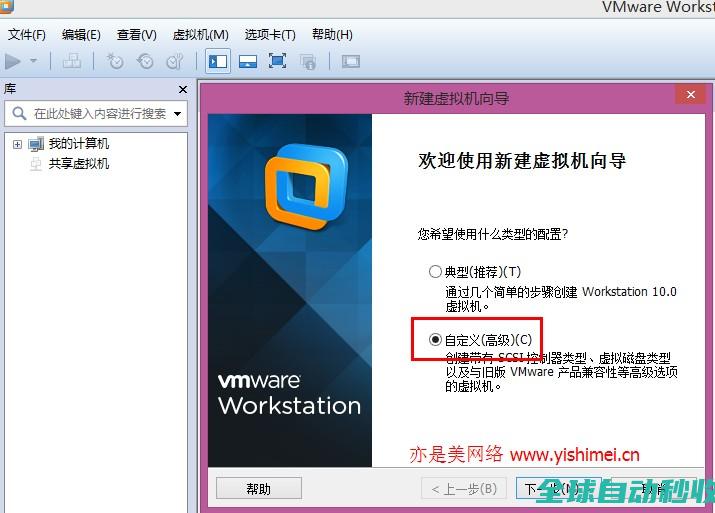
亦是美网络,致力于操作系统应用与计算机网络技术的IT网站。

亦是美网络,致力于操作系统应用与计算机网络技术的IT网站。
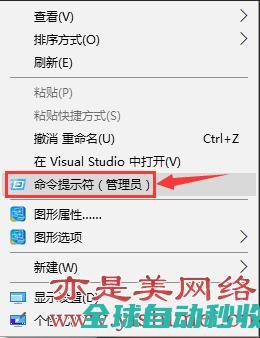
亦是美网络,致力于操作系统应用与计算机网络技术的IT网站。

html5模板网推荐软件开发网站模板|软件开发网站源码下载,网站上所有模板可在线下载,建站简单实用,是站长朋友选模板的首选。

华为云会议支持手机、电脑、平板、华为视讯终端、智慧大屏、第三方会议终端等全系列智能协作终端接入,为客户提供全场景覆盖、简单易用、快速部署、软硬一体的端云协同视频会议解决方案。
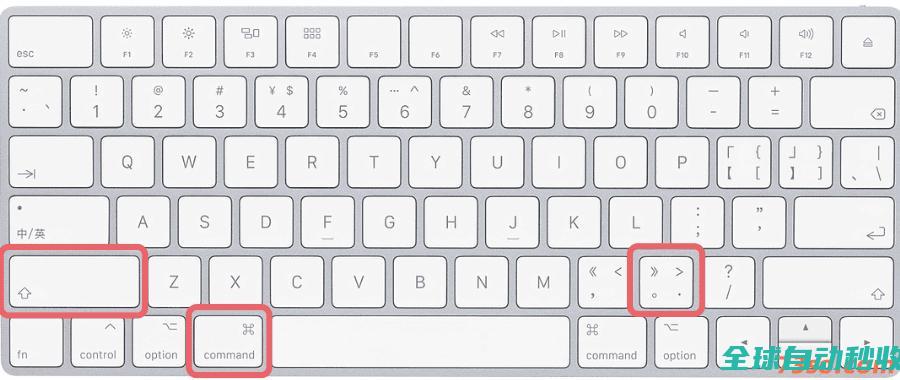
在mac苹果笔记本电脑上显示影藏的文件,有多种方法,比如ssh命令,快捷键以及第三方应用app等。下面73so博客只介绍一种最简单,快捷,方便的显示隐藏文件的方法。显示mac隐藏文
在JavaScript中,将其他类型的值转换为字符串是一个非常常见且重要的操作,理解这些转换规则可以帮助我们避免类型错误、写出更健壮的代码,本文将系统讲解各种基本类型如何转换为字符串,需要的朋友可以参考下
在现代的Web开发中,计算两个坐标间的距离是一项常见的需求,下面这篇文章主要介绍了JavaScript如何计算两个地理坐标点之间的距离(支持米与公里/千米)的相关资料,文中通过代码介绍的非常详细,需要的朋友可以参考下
当易网为玩家们提供最新的手机单机格斗游戏,最全的单机格斗手游大全,为您精心推荐最好玩的手机单机格斗游戏下载,请关注当易网单机格斗手游大全。
当易网为大家免费提供光盘等驱动下载,支持CD/DVD/蓝光/HD-DVD光盘,同时适用于高级用户和初级用户。支持几乎所有的光存储媒体,欢迎下载。
文件共享软件为大家提供多款网络文件共享软件,包括最新最全的网络共享软件,如百度网盘、腾讯微云、天翼网盘等等,非常方便快捷,当易网欢迎各位用户下载。