
TypeScript中正则表达式的用法及实际应用_javascript技巧
正则模式是固定的、已知的
不需要动态构建正则
需要更好的可读性
使用构造函数语法:
在程序运行时(而非编写代码时)根据需要创建或修改正则表达式模式。
作用:使匹配不区分大小写
作用:查找所有匹配项,而不是在第一个匹配后停止
作用:使 ^ 和 $ 匹配每行的开头和结尾,而不是整个字符串的开头和结尾
const multiLineText = `First lineSecond lineThird line`;// 不使用 m 修饰符console.log(/^Second/.test(multiLineText)); // false//在整个字符串的开头位置尝试匹配 "Second"// 使用 m 修饰符console.log(/^Second/m.test(multiLineText)); // true
作用:正确处理大于 \uFFFF 的 Unicode 字符
const emojiText = '😊 笑脸';// 不使用 u 修饰符console.log(/^.$/.test(emojiText)); // false (无法正确匹配emoji)// 使用 u 修饰符console.log(/^.$/u.test(emojiText)); // true (正确匹配单个emoji字符)// 匹配特定Unicode字符console.log(/\p{Emoji}/u.test('😊')); // trueconsole.log(/\p{Script=Han}/u.test('汉')); // true (匹配汉字)
作用:使 . 匹配包括换行符在内的任意字符
const textWithNewline = 'Hello\nWorld';// 不使用 s 修饰符console.log(/Hello.World/.test(textWithNewline)); // false (.不匹配换行符)// 使用 s 修饰符console.log(/Hello.World/s.test(textWithNewline)); // true// 替代方案(不使用s修饰符)console.log(/Hello[\s\S]World/.test(textWithNewline)); // true
可以同时使用多个修饰符,顺序无关紧要:
// 不区分大小写 + 全局匹配 + 多行模式const regex = /^hello/gim;const text = `Hello worldhello everyoneHELLO there`;console.log(text.match(regex)); // ["Hello", "hello", "HELLO"]
const regex = /hello/;// test() - 测试是否匹配regex.test('hello world'); // true// exec() - 执行搜索,返回匹配结果或 nullconst result = regex.exec('hello world');console.log(result?.[0]); // "hello"
const str = 'Hello world, hello TypeScript';// match() - 返回匹配结果str.match(/hello/gi); // ["Hello", "hello"]// search() - 返回匹配位置的索引str.search(/world/); // 6// replace() - 替换匹配的子串str.replace(/hello/gi, 'Hi'); // "Hi world, Hi TypeScript"// split() - 使用正则分割字符串'one,two,three'.split(/,/); // ["one", "two", "three"]
确保匹配从字符串开头开始,防止前面有其他字符
邮箱地址必须包含一个@符号
正则表达式中的点号.
确保匹配直到字符串结束,防止后面有其他字符
核心的正则表达式是 /[?&]([^=#]+)=([^&#]*)/g,让我们分解它的每个部分:
function checkPasswordStrength(password: string): 'weak' | 'medium' | 'strong' { // 至少8个字符 if (password.length < 8) return 'weak'; // 弱: 只有字母或数字 if (/^[a-zA-Z]+$/.test(password) || /^\d+$/.test(password)) { return 'weak'; } // 中: 包含字母和数字 if (/^(?=.*[a-zA-Z])(?=.*\d).+$/.test(password)) { // 强: 包含字母、数字和特殊字符 if (/^(?=.*[a-zA-Z])(?=.*\d)(?=.*[^a-zA-Z\d]).+$/.test(password)) { return 'strong'; } return 'medium'; } return 'weak';}
(?=pattern) 是正向先行断言的基本形式,表示:
这个表达式由两个正向先行断言组成,分别检查密码中是否包含字母和数字。
到此这篇关于TypeScript中正则表达式的用法及实际应用的文章就介绍到这了,更多相关TS中正则表达式内容请搜索脚本之家以前的文章或继续浏览下面的相关文章希望大家以后多多支持脚本之家!
本文地址: https://www.earthnavs.com/jishuwz/10b26c5c5c89009fb677.html


《甜虾剧场》是一款能让您在电脑端看短视频的休闲产品。你可以看到世界各地奇妙有趣的瞬间,享受工作和生活中的每一刻精彩!

快手是一款国民级短视频App。在快手,了解真实的世界,认识有趣的人,也可以记录真实而有趣的自己。快手,拥抱每一种生活。

神烦,是一款云服务系统,有各类网络服务应用可以直接使用,能轻松开发自己的云应用,轻松实现多种网络服务,支持文件存储、直链下载,网络数据库、ERP应用;SDK中提供COM、DLL、以及多语言接入实例,甚至是GET、POST接口,可与任意开发语言通讯

该站点未添加描述description...
FreeonlineRSSgenerator.CreateRSSfromanywebpage.BuildRSSfeedforyoursiteorgenerateXMLforpersonalusage

持续追踪热点新闻事件

百度贴吧——全球领先的中文社区。贴吧的使命是让志同道合的人相聚。不论是大众话题还是小众话题,都能精准地聚集大批同好网友,展示自我风采,结交知音,搭建别具特色的“兴趣主题“互动平台。贴吧目录涵盖游戏、地区、文学、动漫、娱乐明星、生活、体育、电脑数码等方方面面,是全球领先的中文交流平台,它为人们提供一个表达和交流思想的自由网络空间,并以此汇集志同道合的网友。

恒创科技:海外数据中心服务商,APNIC/ARIN会员单位,专注香港服务器,香港云服务器,国外服务器,高防服务器,美国服务器等海外服务器租用托管服务,双向CN2,GIA+BGP高速网络服务。

翼创星球,翼创网,赚钱网,搞钱网,创业网,副业网,网创项目,网赚项目,网络赚钱平台,创业平台,创业项目网站,赚钱平台,免费项目分享,网创项目首发平台


文件管理专门用于管理电脑文件的工具,可以有效的对重要文档进行保存,对于企业而言,信息化让文档成为非常重要的载体,而一款好的管理软件至关重要,欢迎来当易网下载。
升级补丁大全为用户提供最新、最全的各种操作系统和软件升级补丁,帮助用户在第一时间免除各种补丁漏洞所承受的伤害,当易网诚意推荐,欢迎下载。
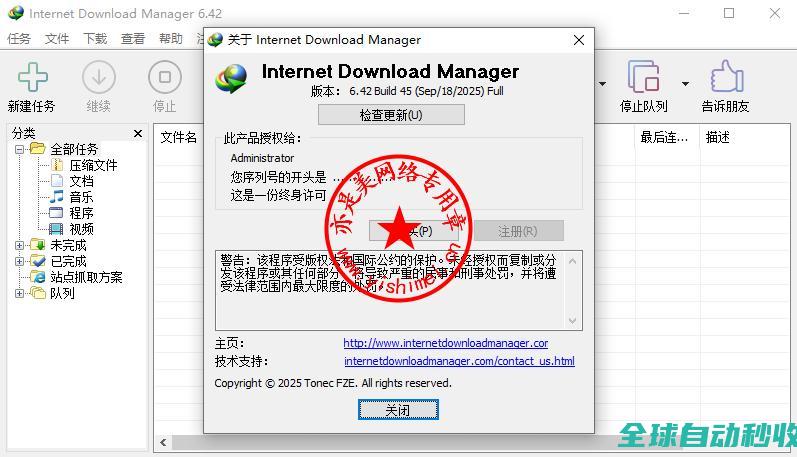
亦是美网络,致力于操作系统应用与计算机网络技术的IT网站。

亦是美网络,致力于操作系统应用与计算机网络技术的IT网站。
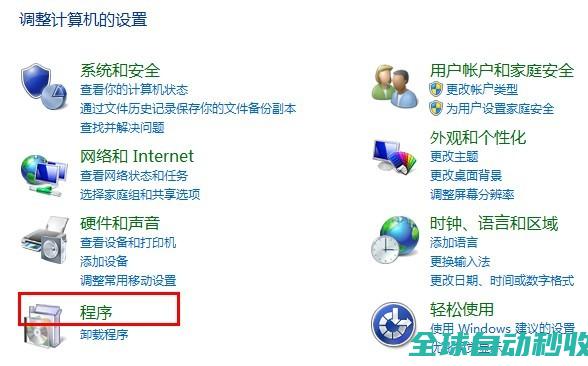
亦是美网络,致力于操作系统应用与计算机网络技术的IT网站。

亦是美网络,致力于操作系统应用与计算机网络技术的IT网站。

亦是美网络,致力于操作系统应用与计算机网络技术的IT网站。

亦是美网络,致力于操作系统应用与计算机网络技术的IT网站。
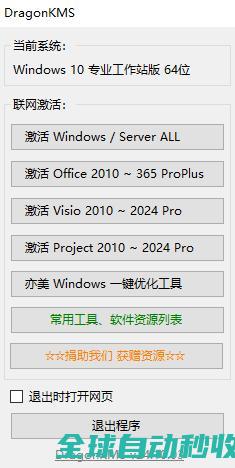
亦是美网络,致力于操作系统应用与计算机网络技术的IT网站。

想要在linux系统下测试远程服务器的端口是否开放,可以使用多种命令比如ping,telnet,nc等等。每种命令都有各自的特点,下面73so博客就说一说这几种命令的使用方法。li
在 JavaScript 开发中,判断数据类型是一项基础但非常重要的技能,由于 JavaScript 是一门动态类型语言,变量可以在运行时被赋予不同的值类型,因此我们需要掌握多种方法来准确检测变量的数据类型,本文给大家讲解了四种常见的类型检测方式,需要的朋友可以参考下
前端响应时间过长可能由多种原因引起,包括网络延迟、服务器性能问题、代码优化不足等,这篇文章主要介绍了前端文件加载耗时过长的原因分析及解决方案,文中通过代码介绍的非常详细,需要的朋友可以参考下
沙箱隔离(Sandbox Isolation)是微前端架构中的核心技术,用于确保多个子应用在同一页面中运行时,资源(JS/CSS/环境变量)相互隔离,避免冲突,这篇文章主要介绍了JavaScript沙箱隔离的相关资料,需要的朋友可以参考下
亦是美网络,致力于操作系统应用与计算机网络技术的IT网站。

亦是美网络,致力于操作系统应用与计算机网络技术的IT网站。